How Tandlo helps with the family week.
Tandlo is a family organiser for parents and carers. Keep plans and tasks for each child, follow school updates, and bring the details from emails, letters and invitations into your week.
Set up your family
Bring in the details
Check your family week
The school run. The club. The plan for Saturday.
See the plans together, or choose one child to focus on their week. Open a plan to check its details. It is saved in Tandlo; adding a copy to another calendar is optional.
Actual iPhone app test screen with fictional sample family data. Your plans can stay in Tandlo.
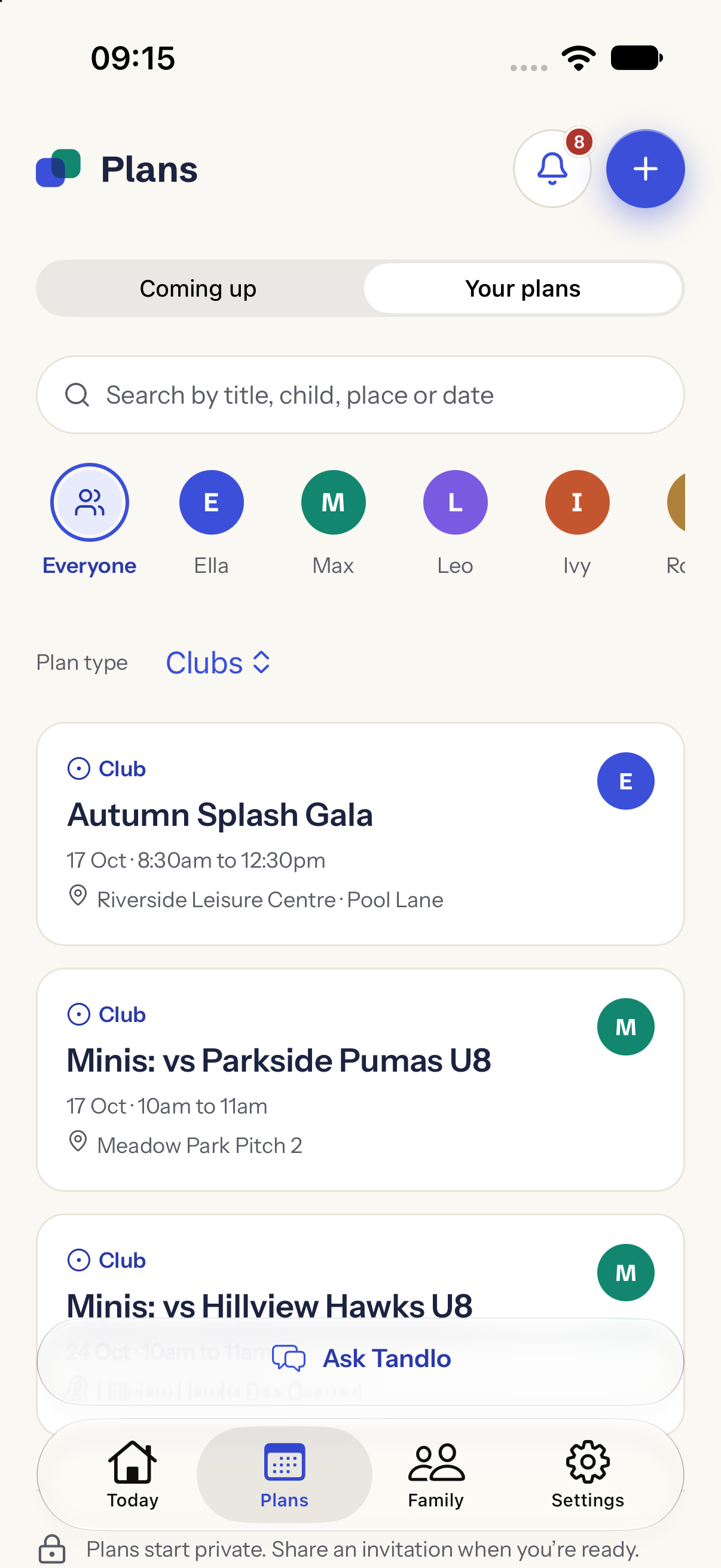
Three short recordings of the real app.
These are edited screen recordings of the development build, using fictional sample family data and scripted examples. Some labels have since changed. They explain the flow, rather than measure processing time.
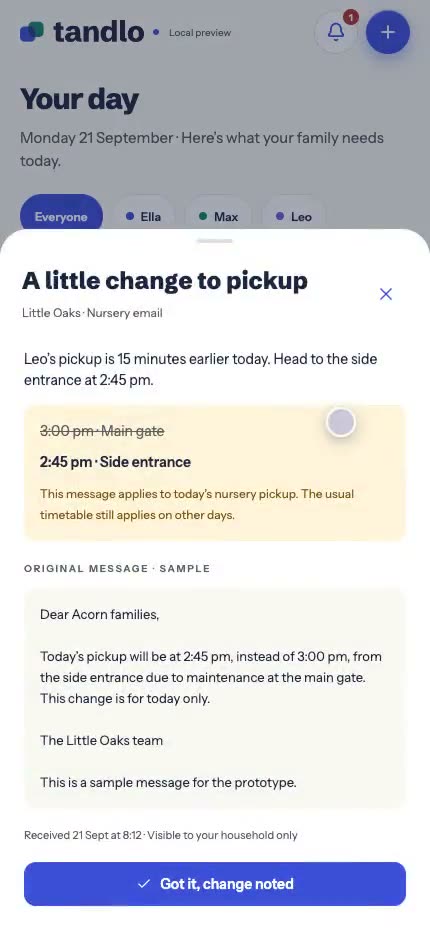
A changed pickup reaches you
The nursery moves a pickup. Tandlo shows the new time against the one already in the day, keeps the original message next to it, and waits for an adult to accept before anything is treated as settled.
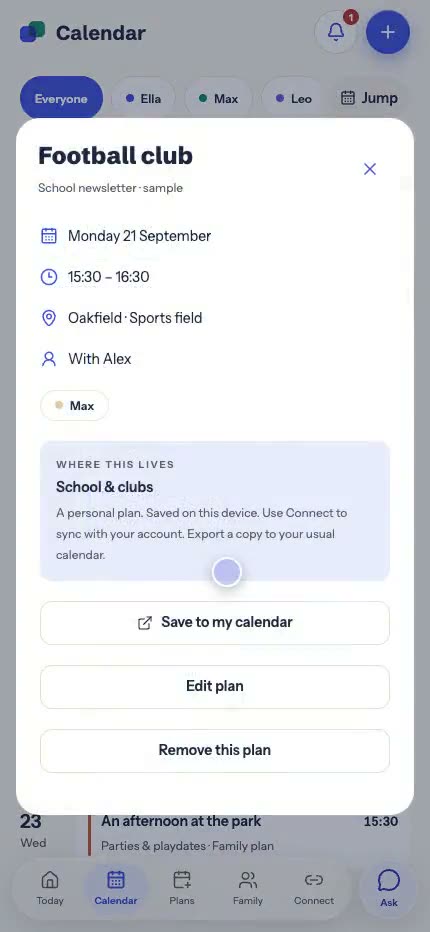
The week, and where each thing came from
Every entry names its source, whether that is a school newsletter, a nursery email or something a parent typed in. Opening one shows the detail behind it and where it is saved.
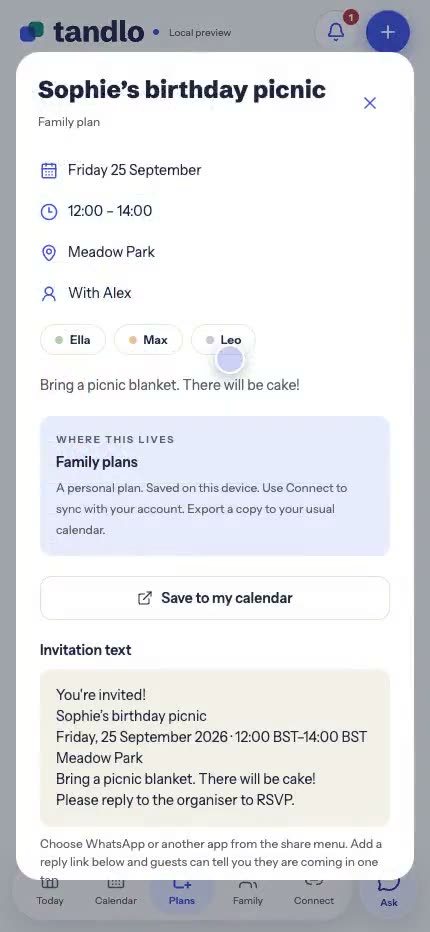
Parties, playdates and clubs
The plans a family actually runs on, filtered per child. Plans start private, and an invitation goes out only when you are ready to share one.
Four answers, in order. Every time.
- 1.What changed? Old and new, side by side.
- 2.Who does it affect? Which child, date and place.
- 3.Who needs to do something? It becomes a task with its date, so it doesn't get lost.
- 4.Where did this come from? The original message and how recent it is, one tap away.
When sources disagree (the website says 3:30, an email says 3:10) Tandlo shows both and asks you to review, rather than quietly picking one.
From a thought to a plan in one short chat.
Parties, playdates and clubs. Describe the plan or paste an invitation. Tandlo fills in what it can and asks for the rest, one question at a time. Plans start private. When you are ready, create an invitation and choose exactly who gets it.