Plans and tasks
See what is coming up
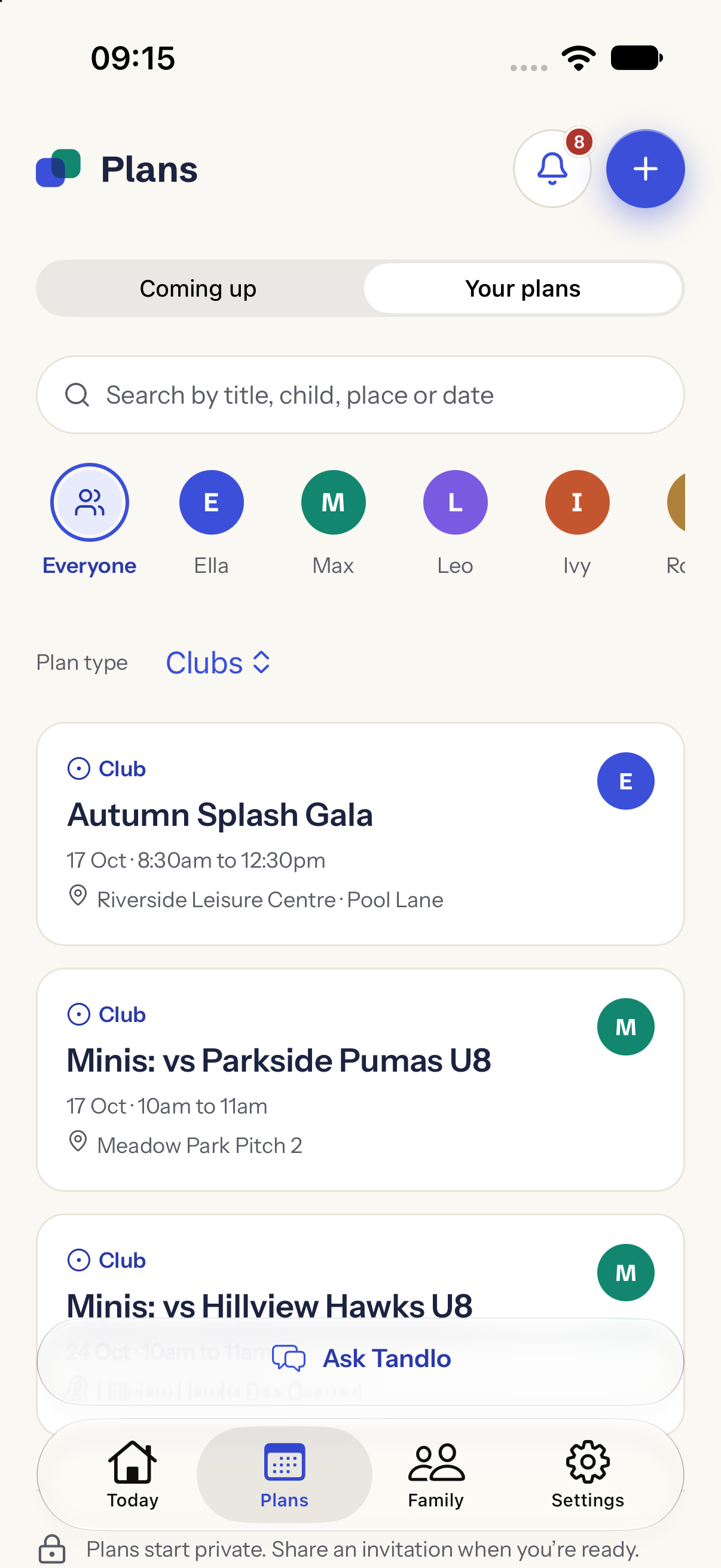
Keep school dates, clubs and family plans together, with the things to bring or do. See the week for everyone or focus on one child.
Tandlo is a family calendar and organiser for parents and carers, bringing children's plans, school updates and things to do into one place. Turn an email, letter or invitation picture into details you can check and save, and keep the adults you invite up to date.
Moving from Maple? Our guide helps you save what matters and plan your next steps.
For the school run, the after-school club, the birthday party and the little jobs in between. Start with your family's plans, then let Tandlo help with the details that arrive around them.
Keep school dates, clubs and family plans together, with the things to bring or do. See the week for everyone or focus on one child.
Follow supported school updates. Forward a school email, share a letter or invitation, or tell Ask Tandlo your plan. Check the suggested details before saving.
With Tandlo Family, invite a co-parent, grandparent or carer to see your family's plans, with their notes. Keep any plan to yourself with Just me.
Keep track of your family's plans and tasks, send standard invitations and collect guest replies. Free is for one adult in your home. You can also link another home and share chosen plans.
Get ongoing AI help and invite the adults who help you organise, all on one subscription for your home. Family also adds more supported schools and calendar links, plus invitation customisation.
Free has a one-time starter allowance of 20 AI uses per family. Eligible early-access families receive six months of Family free. Compare Free and Tandlo Family.
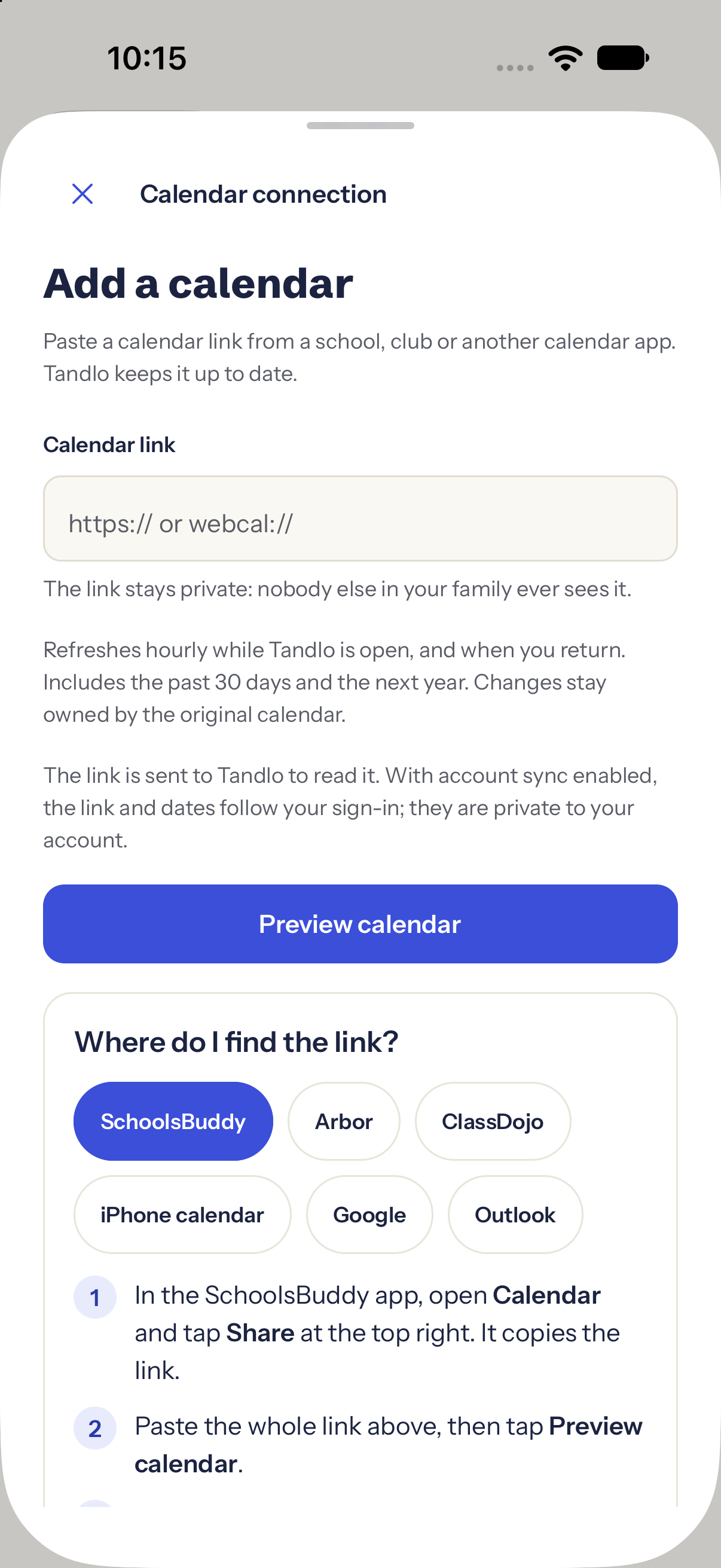
An invitation picture, a school letter or a calendar link. Bring what you have, check the details and add it to your family week.
You can also type or dictate what you need. Plans stay in Tandlo; an RSVP, payment or export to another calendar is a separate action.
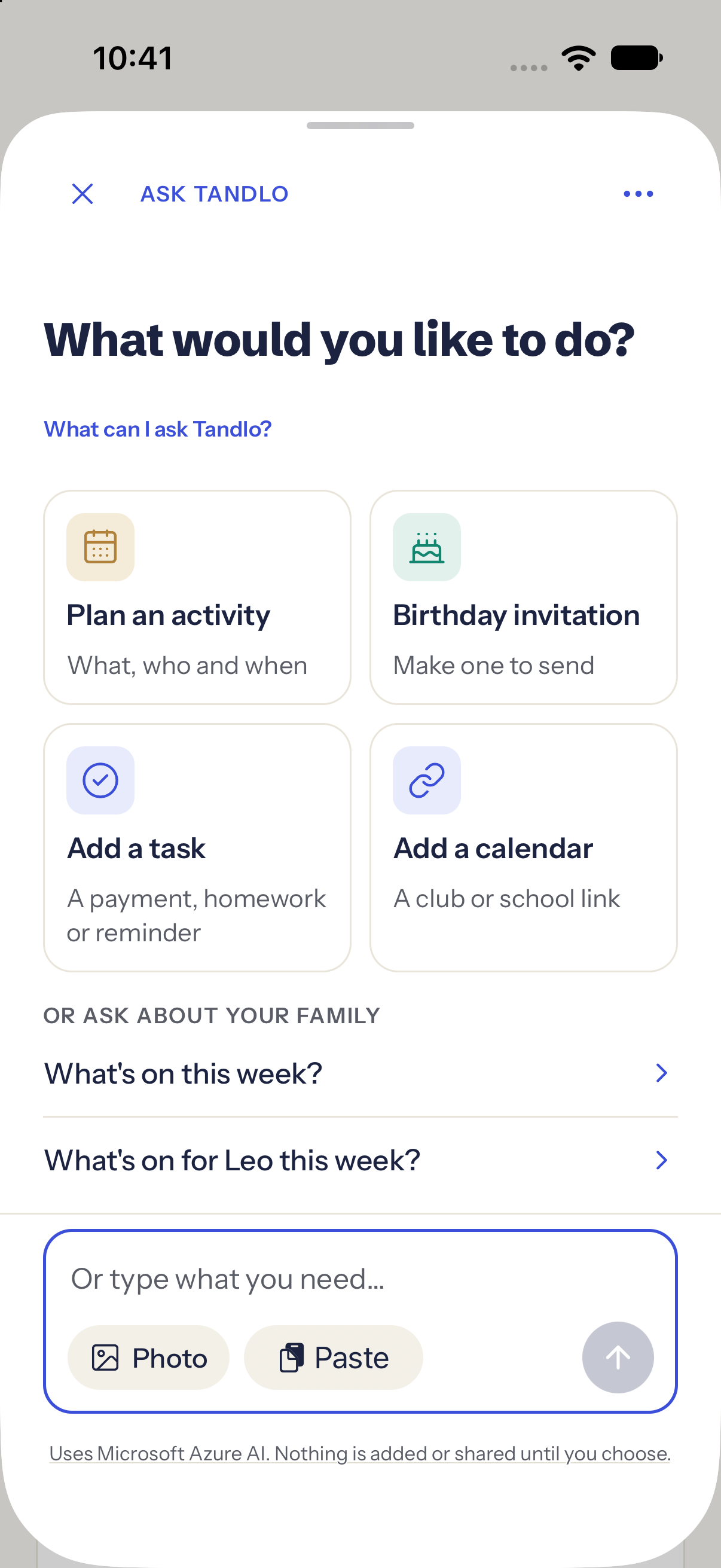
A look at the iPhone app, using fictional examples.
Make your invitation, share its link and collect guest replies in a browser. Standard designs are included in Free; custom AI artwork, like this example, is a Family feature.
Explore invitations →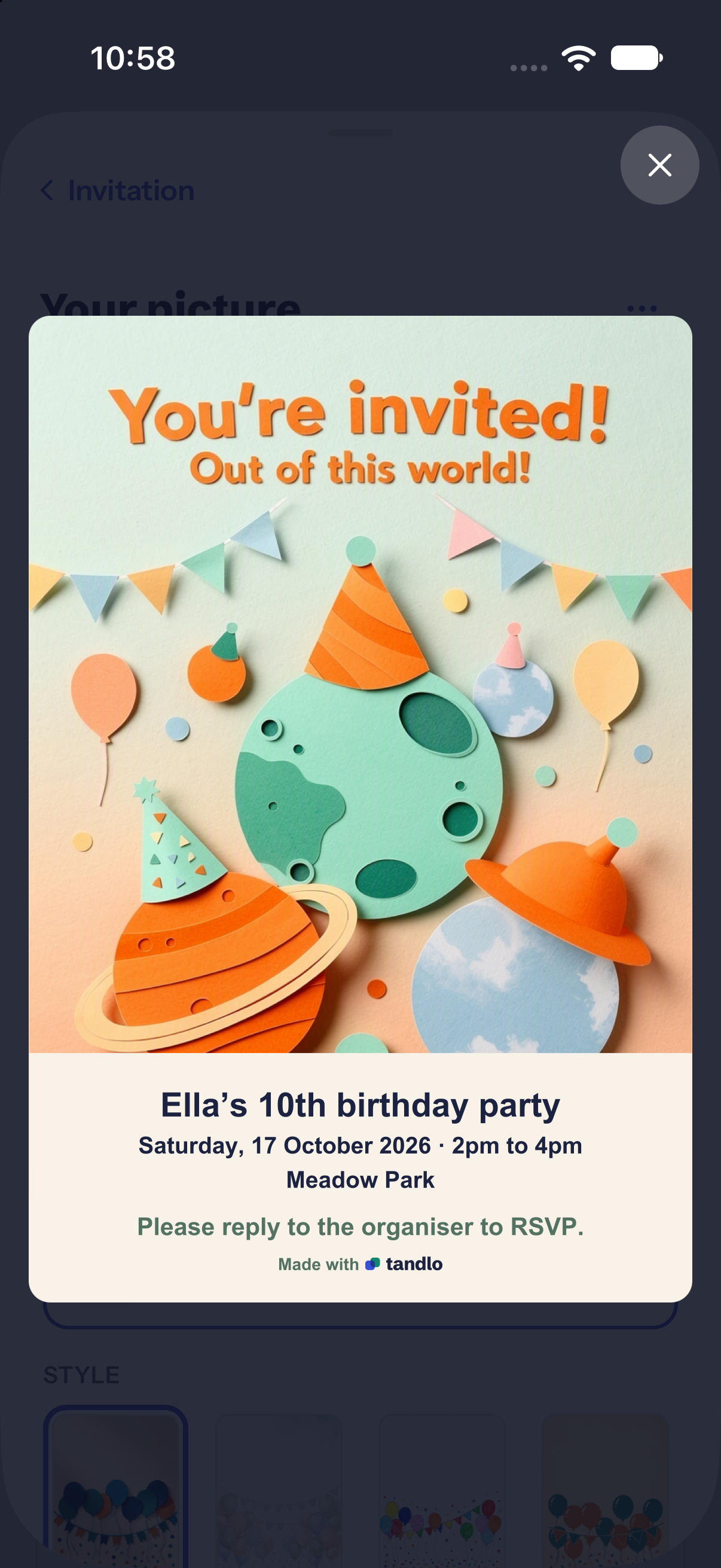
A present to sort out or something to bring. See who a task is for and when it is due, alongside the plan it belongs to.
See how Tandlo works →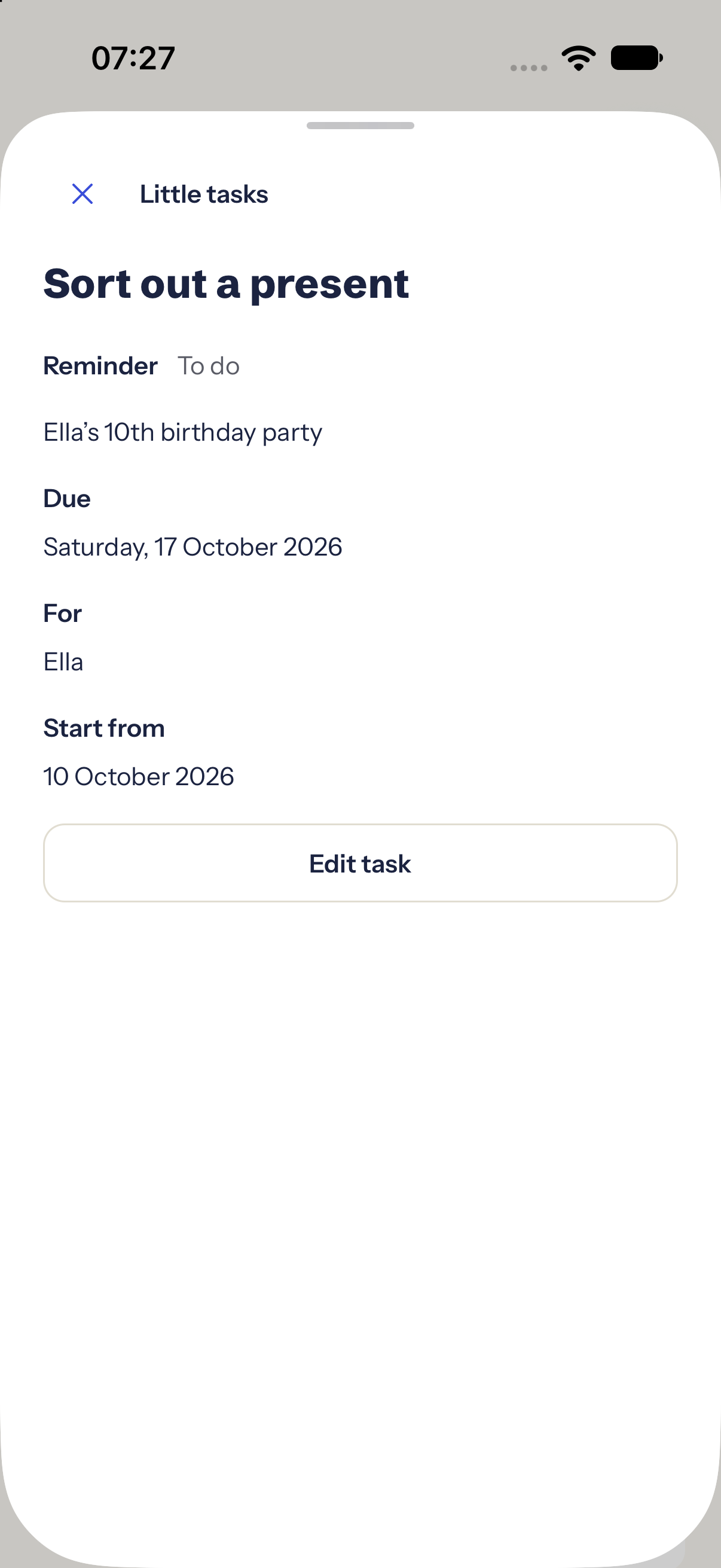
Guides & advice
Start with the school email, calendar or everyday question in front of you.
Practical guide · School dates
A calendar link, an ICS file or a PDF? Find the right steps for what your school sends.
Advice · Family organisation
What to check before you choose: shared access, school information, reminders and price.
Practical guide · School emails
Start with selected senders, then follow the steps for Gmail, Outlook, iCloud or Yahoo.
Native iPhone screens with fictional example data; email guide illustration.
Tandlo reads what your school already publishes, such as newsletters, term dates and notices, and shows each child what applies to them. The original source and its date stay attached.
Follow supported school updates, with the original source and latest check. Coverage varies by school. If information is missing, bring the letter into Ask Tandlo and check its suggestions.
More about schools →How school updates work
Coverage varies by school. You can also bring a letter or calendar link into Ask Tandlo.
Your plans can stay in Tandlo. Add a school or club calendar from its subscription link, or export a copy of a saved plan when you want it in another calendar. Signed-in Google, Apple and Outlook connections are in development. Exporting a copy does not keep the two calendars in sync.
Two parents, one parent, or a whole village. Link another home to share chosen plans, or use Tandlo Family to invite adults into your home. Each person signs in with their own account.
We are building Tandlo with a small group of families. Join the list for one email when early access opens.
See how we use your email in our privacy notice.
Early access is limited to the first 150 signup places across Tandlo. Registration stays open until Tandlo is available in the App Store, or until the places fill, whichever comes first. Existing signups keep their offer. Please use one signup per family.
The first 150 families who join early access before Tandlo is available in the App Store get Tandlo Family free for six months. You may claim it for 12 months after registration closes.