Can I share the invitation on WhatsApp?
Yes. Paste the reply link into your WhatsApp message so guests can open the invitation and answer on the guest page. Ask them to use that page for their RSVP so you can see the responses together in Tandlo.
Make a birthday invitation with AI artwork, share a reply link and see responses alongside your family plan. AI artwork is a Tandlo Family feature; standard invitations and replies are Free. Check current UK iPhone availability before you start.
You make the invitation in Tandlo on your iPhone. Send its reply link through WhatsApp or another messenger, and guests answer in their browser. Open the party's Replies view to see their responses and child numbers.
You can have the venue booked and still be staring at a blank invitation. Later, the "yes for two" messages can get buried in a chat about drop-off times.
| If you're stuck on... | How Tandlo helps |
|---|---|
| Coming up with a design | Start with a standard design or let Surprise me suggest a picture idea. Make it playful, personal or a bit silly. |
| Keeping RSVPs together | Send guests the reply link so their answers appear in the party's Replies view. |
| Working out numbers for the venue | See the responses received and the child numbers guests have given. |
| Finding the party details again | Keep the invitation and replies with the party plan, alongside your other family plans. |
Guests need to use the reply page for their answer to appear in Tandlo. A reply left only in WhatsApp stays in that chat.
| What you want to do | Plan |
|---|---|
| Use a standard invitation design and edit the wording | Free |
| Share an invitation link and collect browser replies | Free |
| Make custom artwork with AI | Tandlo Family: 3 new AI illustrations per billing period per household |
See current pricing and availability before choosing a plan. Guests can reply without downloading Tandlo or creating a Tandlo account.
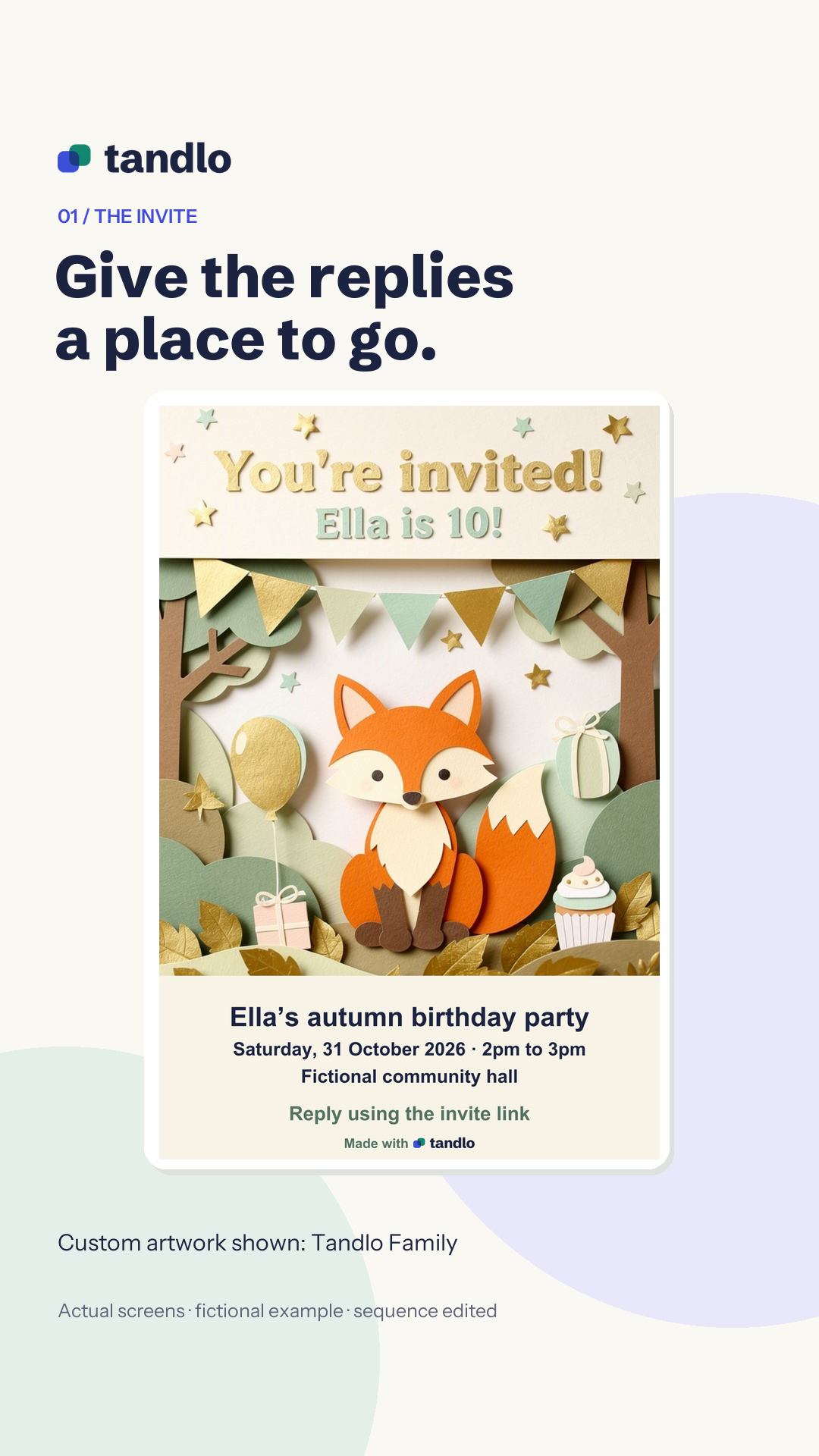
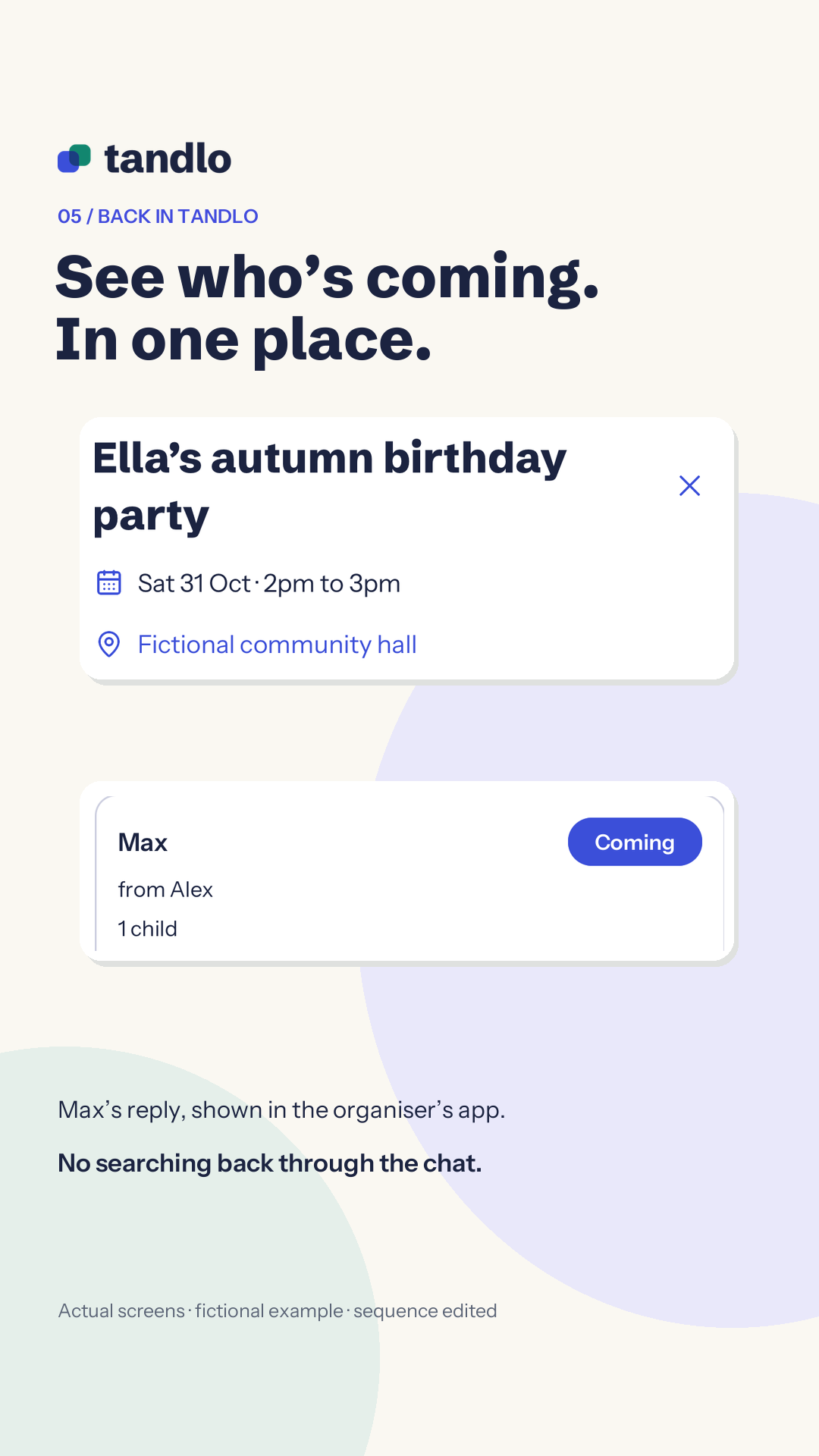
This recorded example is for Ella's tenth birthday, with the party dated 31 October 2026. The family and guests are fictional. The woodland AI illustration is a Family example.
The frames on this page come from our edited demonstration film: actual app and browser screens with a fictional family, and the sequence shortened.
Make a party or playdate plan in Tandlo. Add the occasion, the child, date, start and finish times, and venue. Check the full address and include anything guests should bring or know, such as whether parents should stay.
When making the plan, open Add a note or invitation and turn on Make an invitation. Check the details and save the plan to continue to its design. Making the plan does not send an invitation to anyone.
Choose a standard design on Free, or use Family for custom AI artwork.
Choose Paper-cut, Watercolour, Crayon or Poster for your Family artwork. Your description supplies the scene.
If you know what you'd like in the picture, describe it. For example:
A paper-cut woodland illustration for Ella's tenth birthday invitation.
When you're stuck for ideas, tap Surprise me while choosing what should be in the picture. Tandlo's randomiser fills in an idea for you. Edit the words to suit your party, or tap again for another suggestion.
Some ideas you could start with:


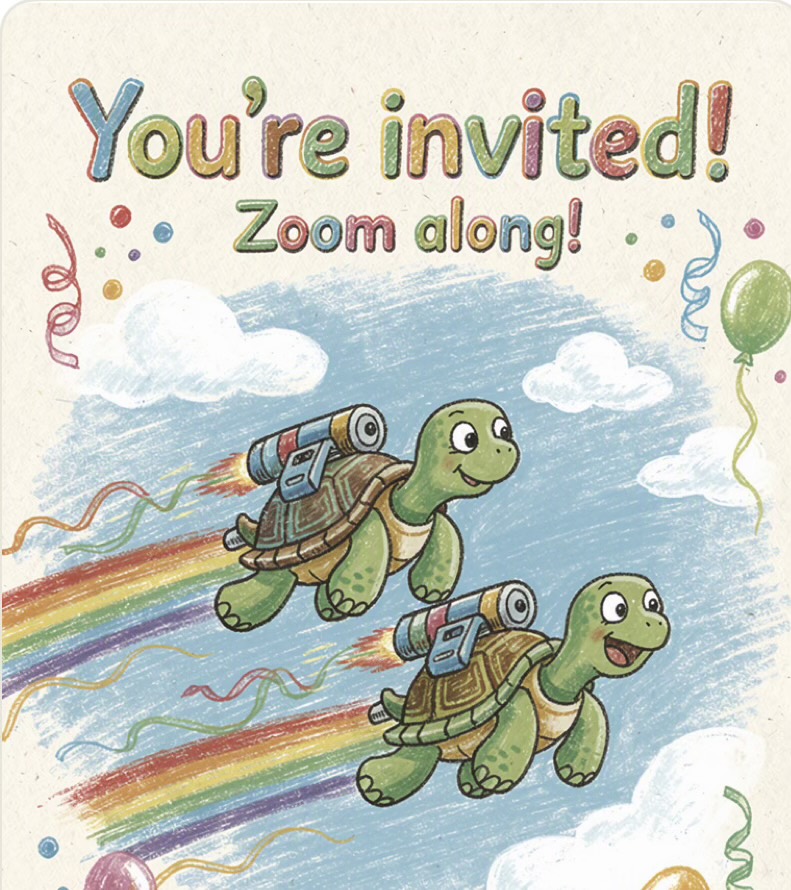

AI invitation artwork generated in Tandlo from these example themes. AI artwork is a Tandlo Family feature. Add your party details and include the reply link when you share the invitation.
You might keep the disco dinosaurs, change them to dancing dragons or write an idea of your own. Choose what feels right for your child's party, then make the artwork when you're ready.
Trying another suggestion does not generate a picture or use one of your AI illustrations. Making custom artwork is the separate Family step, with three new AI illustrations per billing period per household. Standard designs and editable wording are available on Free.
Review the result and check the invitation wording against your party details. Keep the child's name, date, times and place clear, and add a reply deadline if you want one.
When the design is ready, choose Use this design, then use Preview guest page to check what guests will see. Copy the invitation's reply link into a message to the people you are inviting, or use Send invitation.
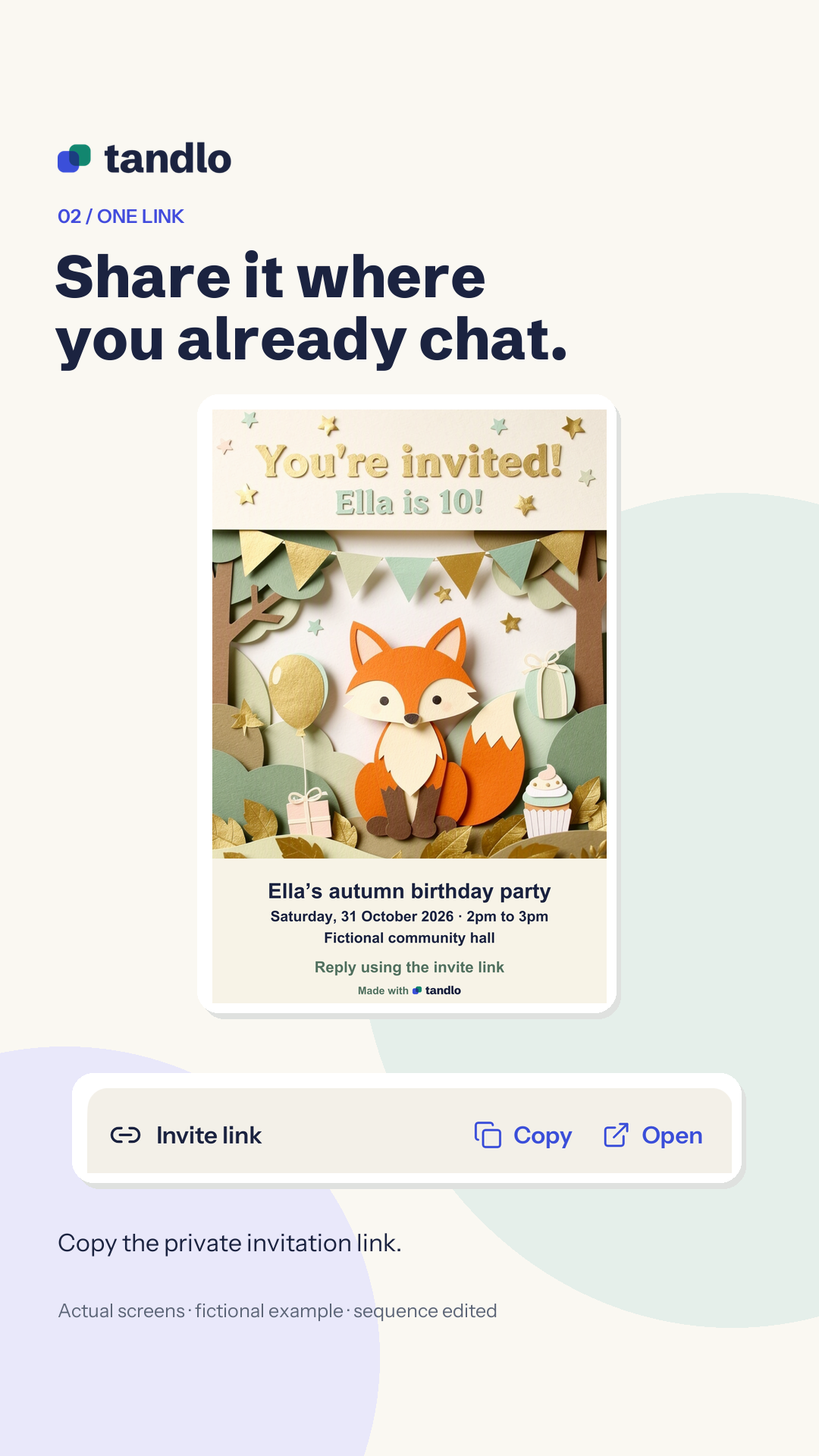
Include the reply link when sharing a picture of the invitation. A picture on its own does not give guests a way to submit their response to Tandlo.
Send the link privately. Each invitation has one reply link, and anyone who receives it can open it. Keep it within the group you intend to invite.
Guests open your link and complete a short security check. They can then say whether they are coming and give the number of children. They submit the form and see a confirmation on the page.
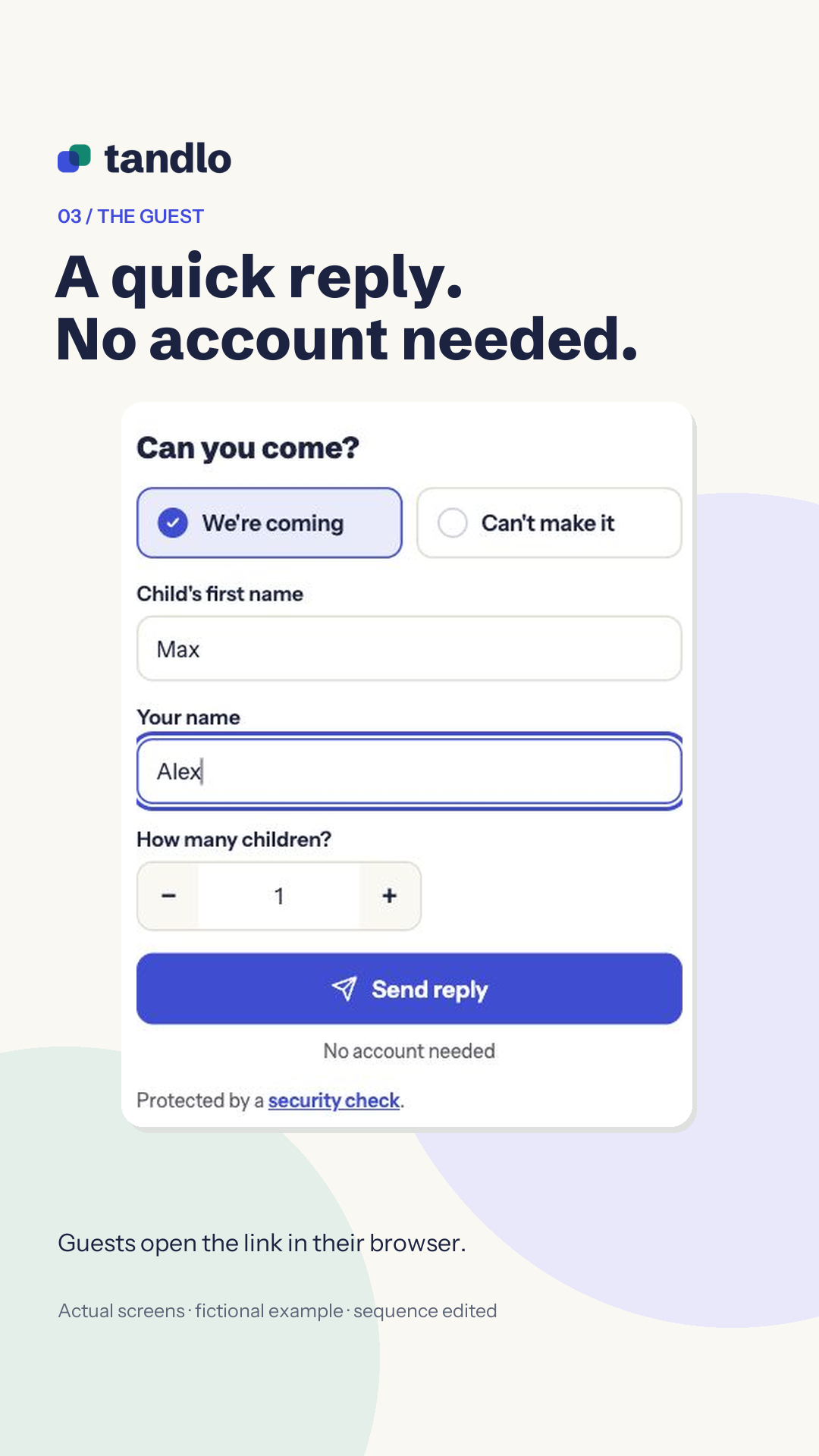
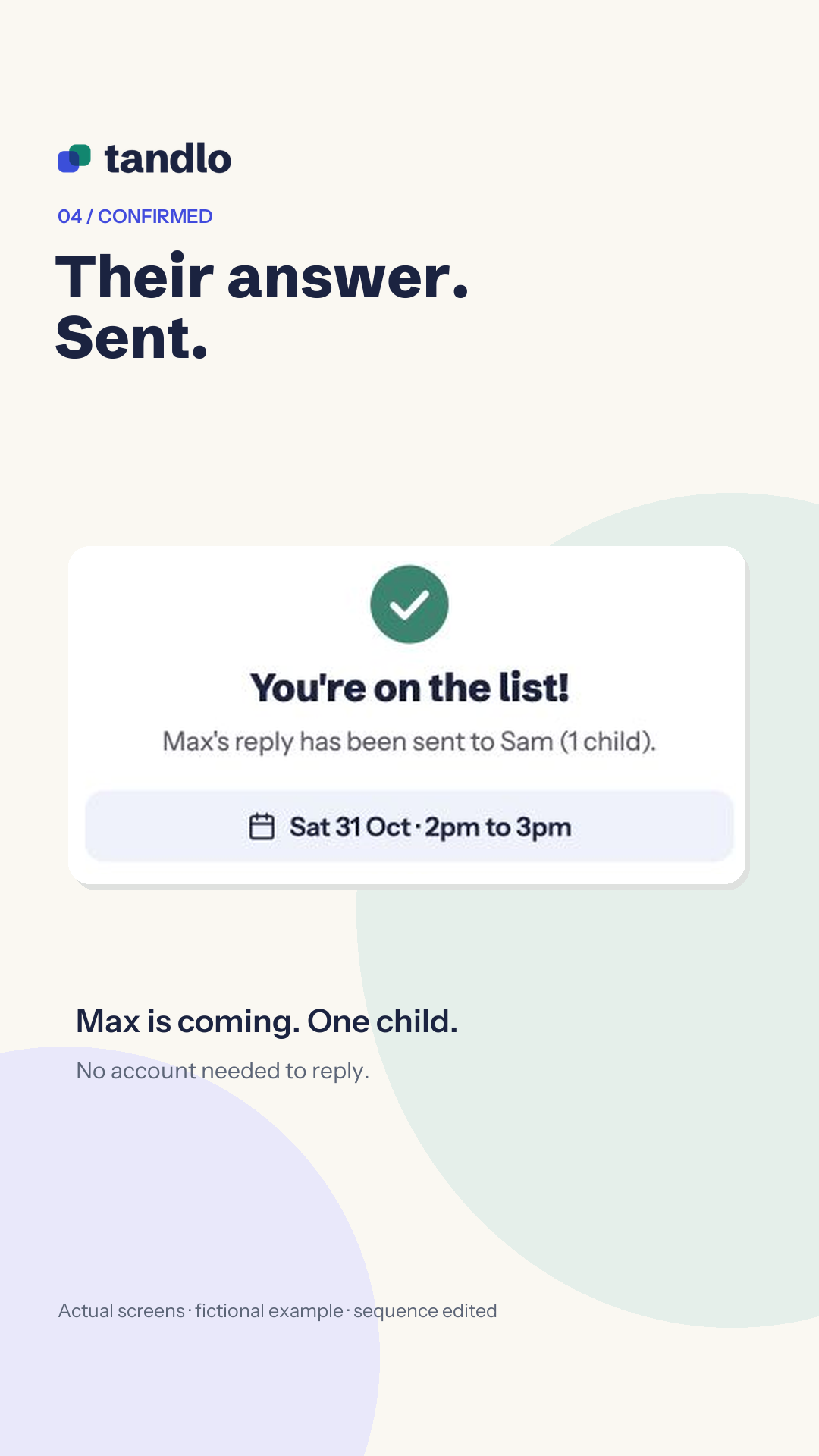
The guest form has no notes or dietary field. Ask guests to contact you directly about allergies, dietary needs or anything else you need to arrange. They can reply to the invitation without installing the app or joining your Tandlo family.
Open the party in Tandlo and choose Replies. You can see the responses received and the child numbers guests have given. Check anything unclear directly with the guest before confirming arrangements with your venue.
The party is already a Tandlo plan, so you can see where it falls alongside the rest of your family week and return to its replies when you need the numbers.
Keep the reply deadline distinct from the party date. Check that the message you send and the invitation show the same details.
For a birthday with a silly dinosaur theme:
Ella is 10! Bring your best dinosaur dance moves. Parents are welcome to stay. Please reply using the link by [reply deadline].
For a playdate:
Come and play with Leo. Bring shoes for running around outside. Please use the reply link and let us know how many children are coming.
These are sample messages to edit alongside your event details. Add your actual date, start and finish times, full venue address and reply deadline before sharing. Make sure the instructions about parents staying or what to bring fit your plans.
Yes. Paste the reply link into your WhatsApp message so guests can open the invitation and answer on the guest page. Ask them to use that page for their RSVP so you can see the responses together in Tandlo.
The attendance shown in Tandlo comes from the guest reply page. Ask guests to submit their response there. If someone only answers in your chat, check with them directly.
Drawings of a child from a photo are switched off. Use a description of the illustration you want.
The host uses Tandlo on iPhone. Guests open the reply link in their browser and complete the short security check; they do not need to install Tandlo.
Use the separate guide to add a party invitation to your calendar. It covers sharing a received picture into Tandlo, checking the details and saving a plan.
Saving a received invitation as a plan does not send an RSVP. Reply to the organiser using the link or contact details they provided.
Tandlo is in early access on iPhone in the UK. Join early access to hear when you can create invitations in Tandlo. Joining the list does not give you immediate app access.
Early access is limited to the first 150 signup places across Tandlo. Registration stays open until Tandlo is available in the App Store, or until the places fill, whichever comes first. Existing signups keep their offer. Please use one signup per family.
See how we use your email in our privacy notice.
Standard invitations and browser replies are Free. AI illustrations are a Family feature, with three per billing period per household.